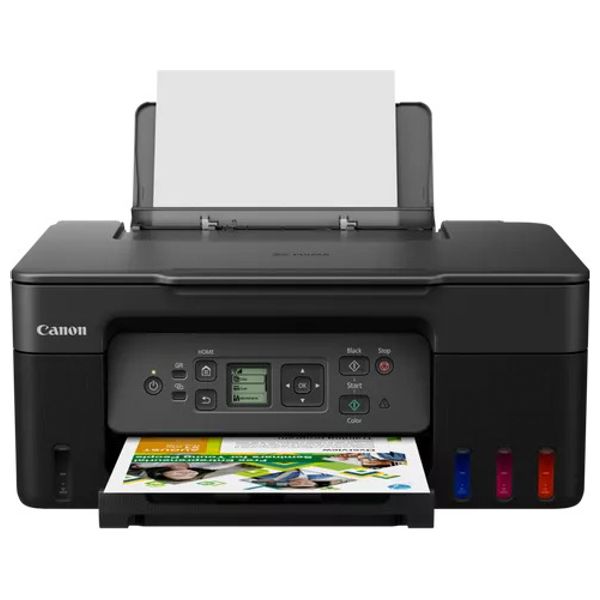
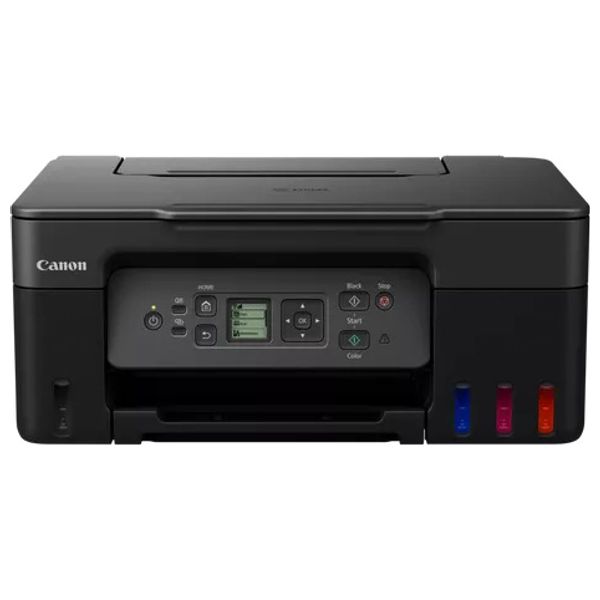
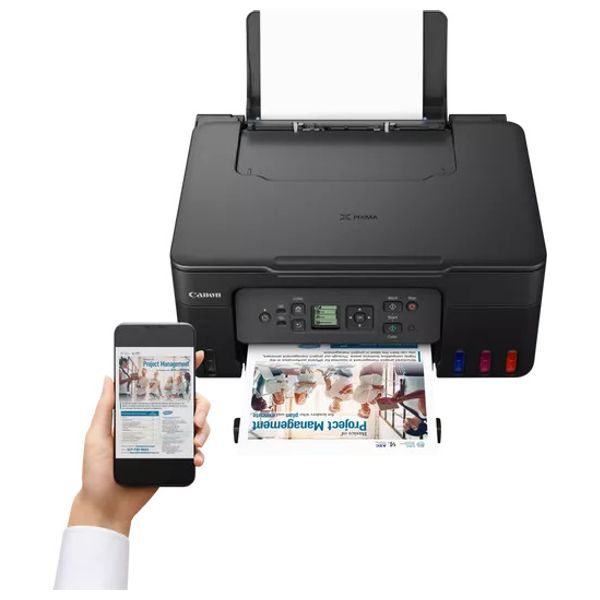
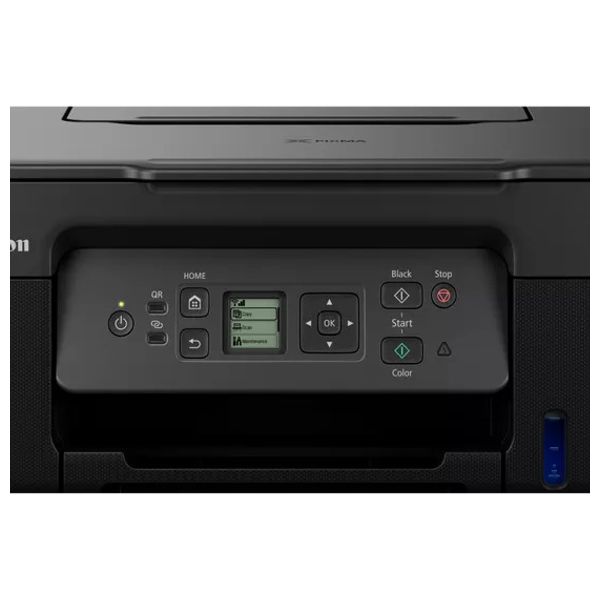
Canon PIXMA G3470 - Color Inkjet All-in-One Printer - Wifi - Black

Product code: 4549292205398-6629030a237b9c004bd0dd14
General SpecificationsModel NumbersCanon PIXMA G3470 SeriesCanon PIXMA G3470 BlackCanon PIXMA G3470 WhiteCanon PIXMA G3470 RedFunctionsWi-Fi, Print, Scan & Copy, CloudPrinter SpecificationsPrint ResolutionUp to 4800 x 1200 dpi1Print Technology2 FINE Print Head (Black and Colour)Refillable ink tank printerMono Print Speedapprox. 11 ipm2Colour Print Speedapprox. 6.0 ipm3Photo Print SpeedBorderless 10x15cm : Approx. 45 seconds4Borderless PrintingYesA4, B5, LTR, 4" x 6", 5" x 7", 7" x 10", 8" x 10", Square (89 mm x 89 mm), Square(127 mm x 127 mm), Card Size(91 mm x 55 mm) 5Two Sided PrintingManual operationCartridges and YieldsStandard Ink CartridgesGI-41GI-41GI-41GI-41Cartridge Yield (Plain Paper)A4 colour documents printing6Black: 6,000 pages (Economy mode 7,600 pages)7Colour: 7,700 pages (Economy mode 8,100 pages)8* Estimated supplemental yieldCartridge Yield (Photo)10x15cm colour photo printing9Colour: 2,200 photos* Estimated supplemental yieldMaintenance CartridgeMC-G04 (User Replaceable)Paper SupportPaper TypesPlain PaperRed Label Superior 80 g/m2 (WOP111),Canon Oce Office Colour Paper 80 g/m2 (SAT213)Photo Paper Pro Luster (LU-101),Photo Paper Plus Glossy II (PP-201)Matte Photo Paper (MP-101),Glossy Photo Paper "Everyday Use" (GP-501)High Resolution Paper (HR-101N),Envelope,Photo Paper Plus Semi-gloss (SG-201),Greeting Card (manufactured by Avery and RedRiverPaper),Cardstock (manufactured by Neenah Paper and INKPRESS),Restickable Photo Paper(RP-101)Magnetic Photo Paper(MG-101)Dark Fabric Iron on Transfers (DF-101),Light Fabric Iron on Transfers (LF-101),Double sided Matte Paper (MP-101D)Maximum Paper InputRear Tray: Max. 100 sheets (plain paper)Paper SizesA4, A5, A6, B5, LTR, LGL, Executive (184.2 mm x 266.7 mm), Legal(215 mm x 345 mm), 4" x 6", 5" x 7", 7" x 10", 8" x 10", Envelopes DL, Envelopes COM10, Envelopes C5, Square (89 mm x 89 mm), Square (127 mm x 127 mm), Card Size(91 mm x 55 mm)[Custom size] width 55 mm - 216 mm, length 89 mm - 1200 mmPaper WeightRear Tray: Plain paper: 64 - 105 g/m²Canon specialty paper: max paper weight : approx. 265 g/m2(Photo Paper Plus Glossy II PP-201)Scanner SpecificationsScanner TypeCIS flatbed photo and document scannerScanner Resolution (Optical)600 x 1200 dpi10Line Scanning SpeedColour: 3.5 ms/line(300dpi)11Greyscale: 1.5 ms/line(300dpi)12Scanning Depth (Input / Output)Colour: RGB each 16bit/8bitGreyscale: 16 bit / 8 bitMaximum Document SizeA4/LTRCopier SpecificationsCopy SpeedsFCOT: Approx. 23 sec13sESAT: Approx. 3.2 ipm14Copy Quality3 levels (Economy, Standard, High)Intensity Adjustment9 positions, Auto intensity (AE copy)Multiple Copy99 copies (max.)Copy FunctionsDocument Copying, Photo Copying, Borderless copy, 2-on-1 and 4-on-1 copy, Frame erase copy, ID copyCopy Zoom25 - 400% (in 1% increments)Fit to pageA5 to A4, B5 to A4, A4 to A5 and A4 to B5InterfaceDisplay Type & Size1.35 " / 3.4 cm Square LCD (Monochrome)ConnectivityStandard InterfaceHi-Speed USB (USB B Port)Wi-Fi: IEEE802.11 b/g/n/15Wi-Fi Security: WPA-PSK, WPA2-PSK, WEP, Administration passwordWireless LAN Frequency Band: 2.4 GHzWireless PictBridge16Mobile AppsCanon PRINT app17Creative Park app18Easy-PhotoPrint Editor app19Printer FeaturesEasy-PhotoPrint Editor Software20PIXMA Cloud Link (print)21Canon Print Service Plugin (Android)22Apple AirPrint23Wireless Direct24Mopria (Android)25Smart Assistant & Automation SupportAmazon Alexa™26Google Assistant™27SoftwareSupported Operating SystemsWindows 11, Windows 10、Windows 8.1、Windows 7 SP1Operation can only be guaranteed on a PC with pre-installed Windows 7or later.Printer driver,IJ Printer Assistant Tool and IJ Network Device Setup Utility are available with following OS.Windows Server 2008 R2 SP1、Windows Server 2012 R2、Windows Server 2016、Windows Server 2019、Windows Server 2022Mac: OS X 10.14.6 ~ macOS 12Chrome OSMobile Operating Systems: iOS®, Android™28Minimum System RequirementsWindows: 2.0GB or moreMac: 1.0GB or moreNote: for bundled software installation. The necessary amount of hard disk space required.Display: 1024 x 768 XGASoftware IncludedPrinter DriverIJ Printer Assistant ToolPhysical FeaturesWeightapprox. 6.0 kgDimensions (W x D x H)Approx. 416 x 337 x 177 mm (with trays retracted)Approx. 416 x 557 x 268 mm (with trays extended)Acoustic Noise Levelsapprox. 48.5dB(A)29Recommended Operating EnvironmentOperating Temperature: 5-35°COperating Humidity: 10-90%RH (no dew condensation)Power SourceAC 100-240V, 50/60HzPower ConsumptionOff: Approx. 0.1WStandby (USB connection to PC): Approx. 0.6WStandby (all ports connected): Approx. 1.2WTime to enter Standby mode: 11minutes 0secCopying: Approx. 16W30Typical Electricity Consumption0.15 kWh31
234,000 IQD
Fast Shipping
Fast shipping
Receive your order on time, every time
Always authentic
Always authentic
We only sell 100% authentic products
Easy Return
Easy return
Return policy that lets you shop at ease
Secure Shopping
Secure shopping
Your data will always be protected

Product Information

General SpecificationsModel NumbersCanon PIXMA G3470 SeriesCanon PIXMA G3470 BlackCanon PIXMA G3470 WhiteCanon PIXMA G3470 RedFunctionsWi-Fi, Print, Scan & Copy, CloudPrinter SpecificationsPrint ResolutionUp to 4800 x 1200 dpi1Print Technology2 FINE Print Head (Black and Colour)Refillable ink tank printerMono Print Speedapprox. 11 ipm2Colour Print Speedapprox. 6.0 ipm3Photo Print SpeedBorderless 10x15cm : Approx. 45 seconds4Borderless PrintingYesA4, B5, LTR, 4" x 6", 5" x 7", 7" x 10", 8" x 10", Square (89 mm x 89 mm), Square(127 mm x 127 mm), Card Size(91 mm x 55 mm) 5Two Sided PrintingManual operationCartridges and YieldsStandard Ink CartridgesGI-41GI-41GI-41GI-41Cartridge Yield (Plain Paper)A4 colour documents printing6Black: 6,000 pages (Economy mode 7,600 pages)7Colour: 7,700 pages (Economy mode 8,100 pages)8* Estimated supplemental yieldCartridge Yield (Photo)10x15cm colour photo printing9Colour: 2,200 photos* Estimated supplemental yieldMaintenance CartridgeMC-G04 (User Replaceable)Paper SupportPaper TypesPlain PaperRed Label Superior 80 g/m2 (WOP111),Canon Oce Office Colour Paper 80 g/m2 (SAT213)Photo Paper Pro Luster (LU-101),Photo Paper Plus Glossy II (PP-201)Matte Photo Paper (MP-101),Glossy Photo Paper "Everyday Use" (GP-501)High Resolution Paper (HR-101N),Envelope,Photo Paper Plus Semi-gloss (SG-201),Greeting Card (manufactured by Avery and RedRiverPaper),Cardstock (manufactured by Neenah Paper and INKPRESS),Restickable Photo Paper(RP-101)Magnetic Photo Paper(MG-101)Dark Fabric Iron on Transfers (DF-101),Light Fabric Iron on Transfers (LF-101),Double sided Matte Paper (MP-101D)Maximum Paper InputRear Tray: Max. 100 sheets (plain paper)Paper SizesA4, A5, A6, B5, LTR, LGL, Executive (184.2 mm x 266.7 mm), Legal(215 mm x 345 mm), 4" x 6", 5" x 7", 7" x 10", 8" x 10", Envelopes DL, Envelopes COM10, Envelopes C5, Square (89 mm x 89 mm), Square (127 mm x 127 mm), Card Size(91 mm x 55 mm)[Custom size] width 55 mm - 216 mm, length 89 mm - 1200 mmPaper WeightRear Tray: Plain paper: 64 - 105 g/m²Canon specialty paper: max paper weight : approx. 265 g/m2(Photo Paper Plus Glossy II PP-201)Scanner SpecificationsScanner TypeCIS flatbed photo and document scannerScanner Resolution (Optical)600 x 1200 dpi10Line Scanning SpeedColour: 3.5 ms/line(300dpi)11Greyscale: 1.5 ms/line(300dpi)12Scanning Depth (Input / Output)Colour: RGB each 16bit/8bitGreyscale: 16 bit / 8 bitMaximum Document SizeA4/LTRCopier SpecificationsCopy SpeedsFCOT: Approx. 23 sec13sESAT: Approx. 3.2 ipm14Copy Quality3 levels (Economy, Standard, High)Intensity Adjustment9 positions, Auto intensity (AE copy)Multiple Copy99 copies (max.)Copy FunctionsDocument Copying, Photo Copying, Borderless copy, 2-on-1 and 4-on-1 copy, Frame erase copy, ID copyCopy Zoom25 - 400% (in 1% increments)Fit to pageA5 to A4, B5 to A4, A4 to A5 and A4 to B5InterfaceDisplay Type & Size1.35 " / 3.4 cm Square LCD (Monochrome)ConnectivityStandard InterfaceHi-Speed USB (USB B Port)Wi-Fi: IEEE802.11 b/g/n/15Wi-Fi Security: WPA-PSK, WPA2-PSK, WEP, Administration passwordWireless LAN Frequency Band: 2.4 GHzWireless PictBridge16Mobile AppsCanon PRINT app17Creative Park app18Easy-PhotoPrint Editor app19Printer FeaturesEasy-PhotoPrint Editor Software20PIXMA Cloud Link (print)21Canon Print Service Plugin (Android)22Apple AirPrint23Wireless Direct24Mopria (Android)25Smart Assistant & Automation SupportAmazon Alexa™26Google Assistant™27SoftwareSupported Operating SystemsWindows 11, Windows 10、Windows 8.1、Windows 7 SP1Operation can only be guaranteed on a PC with pre-installed Windows 7or later.Printer driver,IJ Printer Assistant Tool and IJ Network Device Setup Utility are available with following OS.Windows Server 2008 R2 SP1、Windows Server 2012 R2、Windows Server 2016、Windows Server 2019、Windows Server 2022Mac: OS X 10.14.6 ~ macOS 12Chrome OSMobile Operating Systems: iOS®, Android™28Minimum System RequirementsWindows: 2.0GB or moreMac: 1.0GB or moreNote: for bundled software installation. The necessary amount of hard disk space required.Display: 1024 x 768 XGASoftware IncludedPrinter DriverIJ Printer Assistant ToolPhysical FeaturesWeightapprox. 6.0 kgDimensions (W x D x H)Approx. 416 x 337 x 177 mm (with trays retracted)Approx. 416 x 557 x 268 mm (with trays extended)Acoustic Noise Levelsapprox. 48.5dB(A)29Recommended Operating EnvironmentOperating Temperature: 5-35°COperating Humidity: 10-90%RH (no dew condensation)Power SourceAC 100-240V, 50/60HzPower ConsumptionOff: Approx. 0.1WStandby (USB connection to PC): Approx. 0.6WStandby (all ports connected): Approx. 1.2WTime to enter Standby mode: 11minutes 0secCopying: Approx. 16W30Typical Electricity Consumption0.15 kWh31

The Canon PIXMA G3470 is an all-in-one inkjet printer with print, scan, and copy functions and refillable ink tanks. It offers a print resolution of 4800 × 1200 dpi, a print speed of 11 ppm (mono) and 6 ppm (color). Featuring Wi-Fi connectivity and cloud printing, it supports up to 100-sheet paper capacity, making it ideal for home and office use.

More details

See something wrong?

Report incorrect product information and get reward points.

Warranty
Warranty
1 year provided by Taqa Group
Fast Shipping
Fast shipping
Receive your order on time, every time
Always authentic
Always authentic
We only sell 100% authentic products
Easy Return
Easy return
Return policy that lets you shop at ease
Secure Shopping
Secure shopping
Your data will always be protected
Customer Q&A

Please contact us at [email protected] with your questions and we will post answers here.

Reviews
0
out of 0 reviews
star 5
0
star 4
0
star 3
0
star 2
0
star 1
0
Share your thoughts with other customers
Write a review